World 1
Business
captures as it goes- Mobile capture & OCR snap an invoice, automatic extraction
- Sales & invoices quotes, client invoices, payments in
- Bank & Mobile Money import statements imported, ready to reconcile
FOR ACCOUNTING FIRMS · 17 OHADA COUNTRIES
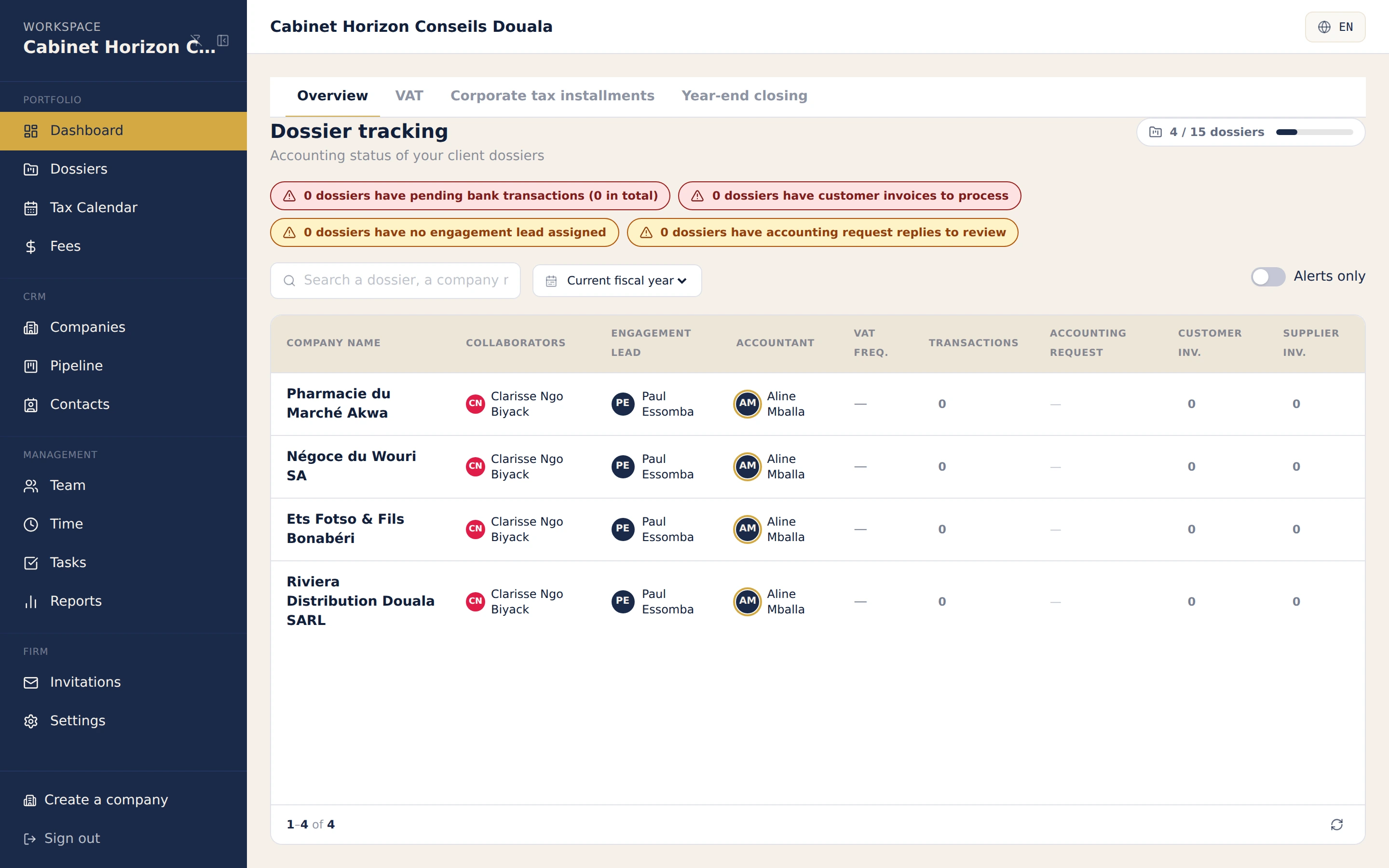
Your clients key into their own file, you review and produce, in real time. A cockpit that flags every morning which files need attention, and DSF bundles that come out with the firm visa.
No card required · Revised SYSCOHADA · Sealed entries
The collaboration model
The business captures as it goes, the firm validates and produces: on the same folder, linked in real time. And each folder stays walled off from every other.
Sealed client files: no mixing possible between your clients.
Per-folder isolation
Each client file is separated by the database itself. Reading another file's data is impossible, even if the software makes a mistake.
Produce, work with your clients and run the firm, without switching tools.
Your clients capture, your teams validate: in the same folder as production, tax and financial statements. No re-keying between two tools.
Our commitment
We provide the engine: reliable, compliant, traceable. You keep control of your firm and your clients.
Every file is sealed off by the database itself. Mixing two files is impossible, even if the software makes a mistake.
The firm keeps the relationship and the ownership of its folders. We are the tool, never the intermediary between you and your clients.
Software built for the CEMAC / OHADA zone, close to your obligations and your clients: not a retrofit of a tool designed elsewhere.
Revised SYSCOHADA chart, sealed vouchers, FEC export, DSF bundle. Compliance is not a paid add-on.
The right folder, on the move
On mobile, a firm collaborator captures, reviews and reconciles the right client folder from their phone. It is the mobile proof of the multi-folder pillar, not a separate argument.
Native app (iOS and Android) in early access, distributed directly. Not yet published on the stores.
Why trust us
SYSCOHADA notes generated automatically with your financial statements.
Go further
Not an accounting firm? Explore the Businesses universe
What accounting experts ask us before migrating a portfolio of client folders.
The overview sorts the portfolio by urgency: what to handle today, closing health, late collection. You define your deadline rules per country and your public holidays once, and each file's calendar computes itself. Each team member saves their views, and search opens any file from the keyboard.
Each client has its own file, and the database itself prevents one file from reading another's data, even if the software makes a mistake. Access to a file always goes through an explicit invitation, with rights chosen module by module.
As soon as your client captures or enters a piece in their folder, it appears on the firm side without refreshing the page (WebSocket synchronisation). Dashboards, trial balance and general ledger update live. You validate, and your client watches the status of their piece change.
Billing your firm's fees and tracking their payments is handled separately from client folders, in the same cockpit. No juggling between a separate invoicing tool and the accounting tool.
Yes. The mobile app lets them capture a piece, check the bank, match a transaction or review stock on the right client folder, on the move: with active-folder selection and per-folder roles. Offline mode queues actions and syncs when the network returns.
Yes. Import their general ledger (PDF, Excel or CSV), FEC or trial balance: accounts are matched to the revised SYSCOHADA chart, reconciliations rebuilt, opening balances generated, and nothing is written if a check fails. The column mapping is reused from one client to the next.
In a client's file, the DSF bundle offers to apply the firm visa on the cover page or in the footer. The firm name, registration number and signatory come from the file, never typed by hand.
A new folder is created with its own ready-to-use SYSCOHADA chart of accounts and invitation-only access: for your collaborators as well as the client, with distinct roles. No data from one folder is visible from another during onboarding.
Join the first accounting firms in the OHADA zone piloting every SYSCOHADA client folder from a single cockpit. 14-day free trial, no commitment, guided.