Banking & Treasury
This section guides you end to end: set up your bank and Mobile Money accounts, import statements, reconcile transactions and anticipate your cash position. By the end of the journey, your general ledger is up to date with no manual re-entry.
Understanding the treasury workflow
Section titled “Understanding the treasury workflow”In the CEMAC and OHADA zone, Mobile Money is not an accessory payment channel — it is often the primary cash flow route. Orange Money CM, MTN MoMo, Wave and Moov Money account for more than 60 % of customer receipts and supplier payments for many SMEs. SynkriaOps treats these flows exactly like a traditional bank account: every Mobile Money transaction can be imported, reconciled and posted to your bank journal.
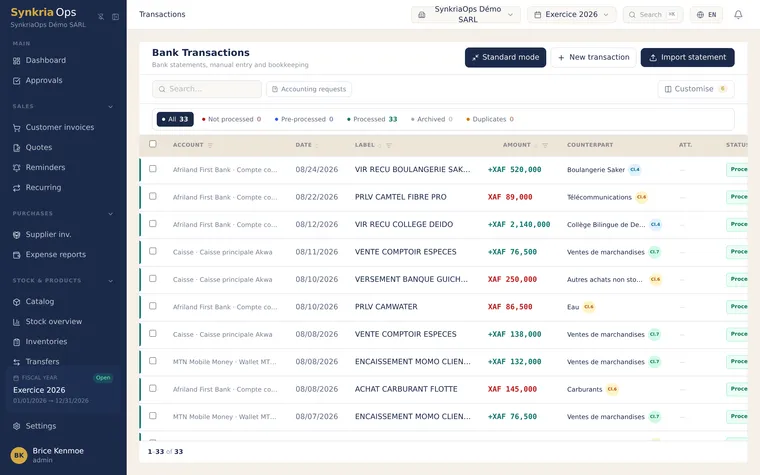
Statement imports are the single source of truth for bank reconciliation. SynkriaOps accepts OFX, CSV (standard and operator-specific), PDF and MT940 formats. For PDF statements that are hard to process directly (scanned statements, Mobile Money statements in image format), the OCR engine takes over and automatically extracts transaction lines.
The recommended workflow is linear:
- Set up the account
- Import the statement
- Reconcile transactions
- Validate accounting entries
Once transactions are reconciled, your general ledger is up to date with no manual re-entry, and the cash flow forecast reflects your actual position.
Before you start
Section titled “Before you start”To use Treasury in SynkriaOps, you need:
- At least 1 bank account or Mobile Money wallet configured in your company file (see Set up a bank account)
- An open fiscal year covering the period of your statements
- Statements downloaded from your bank or Mobile Money operator (OFX, CSV, PDF or MT940 format)
Available guides
Section titled “Available guides”Supported statement formats
Section titled “Supported statement formats”| Format | Compatibility | Notes |
|---|---|---|
| OFX / QFX | Commercial banks (Afriland, BICEC, UBA, etc.) | Most reliable format, automatic mapping |
| Standard CSV | All banks | Column mapping required on first import |
| Operator CSV | Orange Money, MTN MoMo, Wave | Template auto-detected |
| MT940 | International banks, correspondent banks | Recommended for foreign-currency accounts |
| Native PDF | Banks and Mobile Money operators | Built-in OCR extraction |
| Scanned PDF | Digitised paper documents | OCR: 300 dpi scan quality recommended |
Where to start?
Section titled “Where to start?”If you are configuring Treasury for the first time, start by setting up a bank account, then return here to import your first statement. For a Mobile Money account, go directly to Import a Mobile Money statement.